
How to Use UFree V?Updated 7 months ago
How to Use Wireless Casting on UFree V?
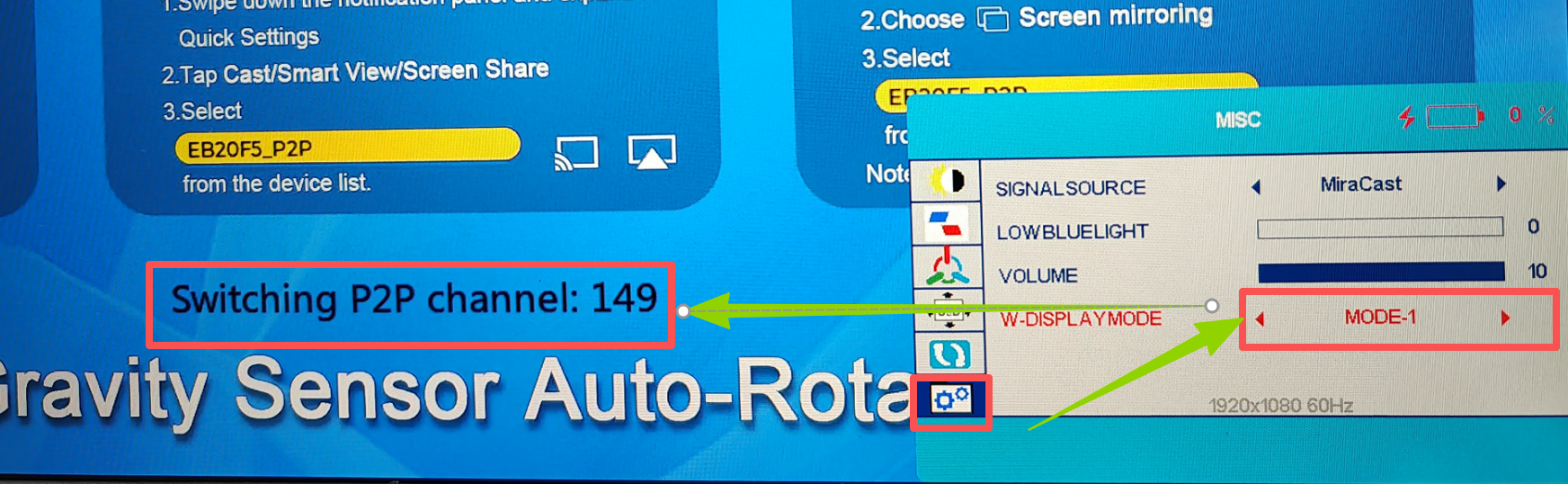
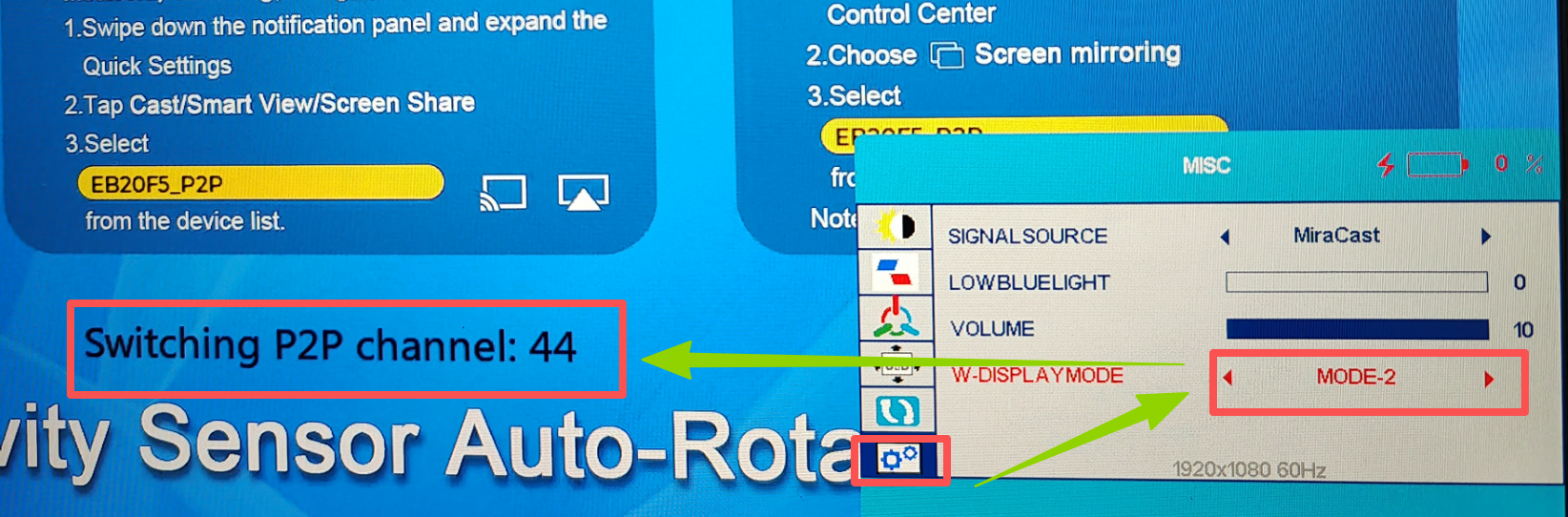
To use wireless casting on UFree V, select the wireless mode based on your country or region. (Note: The default password for all devices in this product is 1234. If the device prompts you to enter a password during operation, simply enter 1234.)
| Mode | Channel | Countries/Regions |
|---|---|---|
| Mode-1 | Channel 149 | USA, Canada, Australia, Saudi Arabia, UAE, India, South Korea, Mexico, Brazil |
| Mode-2 | Channel 44 | Japan, UK, Italy, Germany, France, Spain, Netherlands, Poland, Belgium, Ireland |
Steps:
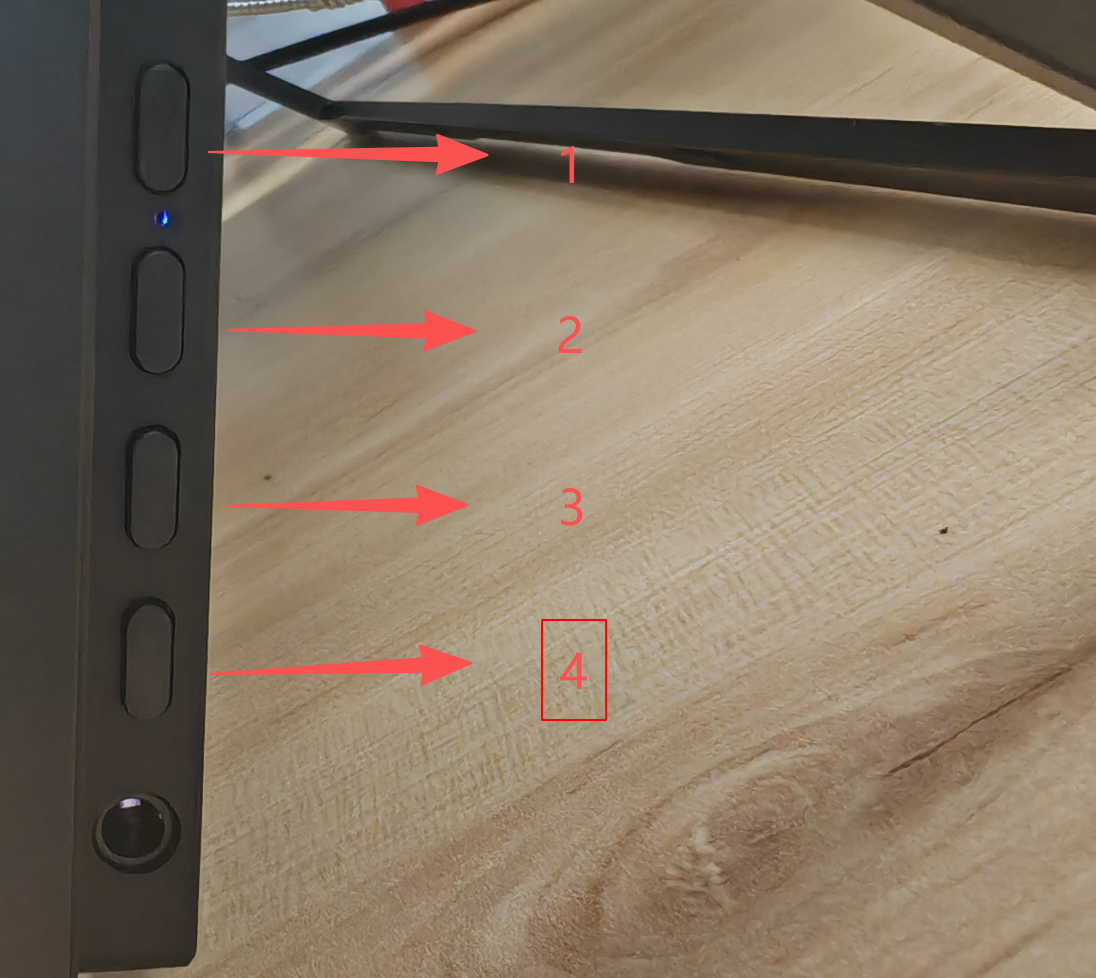
- Press 1 to open the menu.
- Press 3 five times to navigate to Settings, then press 1 to confirm.
- Press 3 four times to select DISPLAY MODE, then press 1 to confirm.
- Press 3 to choose MODE-1 or MODE-2, then press 1 to confirm.
Wireless Casting Distance of UFree V
Before use, please note that UFree V only supports Miracast and does not support Google Cast.
- Key factors: device performance and usage environment
- Open-space range: 10–20 m
- Phone casting (Miracast / AirPlay): stable at 15–20 m; beyond this range may cause lag or disconnection
- PC casting may achieve slightly longer distance
- Distance reduction in typical environments:
- Obstacles:
- Non-load-bearing wall: 3–5 m
- Load-bearing wall or metal obstacles: 1–3 m, or the connection may fail
- Device performance:
- Older devices (e.g., iPhone 11 and earlier, Windows 7 devices): stable distance ≤10 m
- Newer devices (e.g., iPhone 16/17 series): up to 15–20 m
- Samsung and Huawei phones that support DeX mode can switch to this mode for wireless connection
- Optimization tips:
Avoid interference from high-power devices such as microwave ovensor speakers.
- Obstacles:
Charging and Reverse Charging on UFree V
- Charging & battery life:
Using a PD 18W or 30W adapter, a full charge takes about 3 hours.
During HDMI video playback:- 80% brightness / 80% volume: ~3 hours 40 minutes
- 50% brightness / 50% volume: ~5 hours
- Reverse charging:
Maximum output is 15W (5V 3A).
Devices that require 9V or higher input can not be charged via reverse charging.