
How to Upgrade Some Portable Monitor Firmware for Switch 2 via USB-C ConnectionUpdated 4 months ago
The complete download path for all monitor firmware upgrades is in this blog post. Please click here: Upgrade Some Portable Monitor Firmware.
This article will be removed later due to version issues!
Due to version limitations, Switch 2 may not be able to connect directly to portable monitors via a USB-C cable. To address this issue, we have updated the firmware for certain portable monitors, enabling them to work properly with a direct USB-C connection. If Switch 2 receives future system updates, we will also update the software accordingly.
The SOP (Standard Operating Procedure) for most monitor upgrade software is generally similar; the main difference lies in the firmware being loaded (please pay special attention to Step 4 for details). Here, we will use the GR19BU software upgrade SOP as an example. If you need to upgrade other portable monitors, please click the following link.
| Model | Original Model | Firmware Upgrade File | Update Date |
| BE173BU | UColor J5 | BE173BU_Firmware_Upgrade-2 | 2025 |
| GR156BF | UTouch G16 | GR156BF_Firmware_Upgrade | 2025 |
| GR19BU | UColor Apex | GR19BU_Firmware_Upgrade | 9-Jun-26 |
When connecting the Switch2 to the GR19BU (UColor Apex) portable monitor via a single-cable (one-line) connection, a software upgrade is required. Please click this link to download the software and follow the instructions below.
GR19BU_Firmware_Upgrde (Updated on June 9, 2026)
- 1. Unzip Customer V1.6.zip, then open the folder and double-click RTDTool.exe. Select ISP.
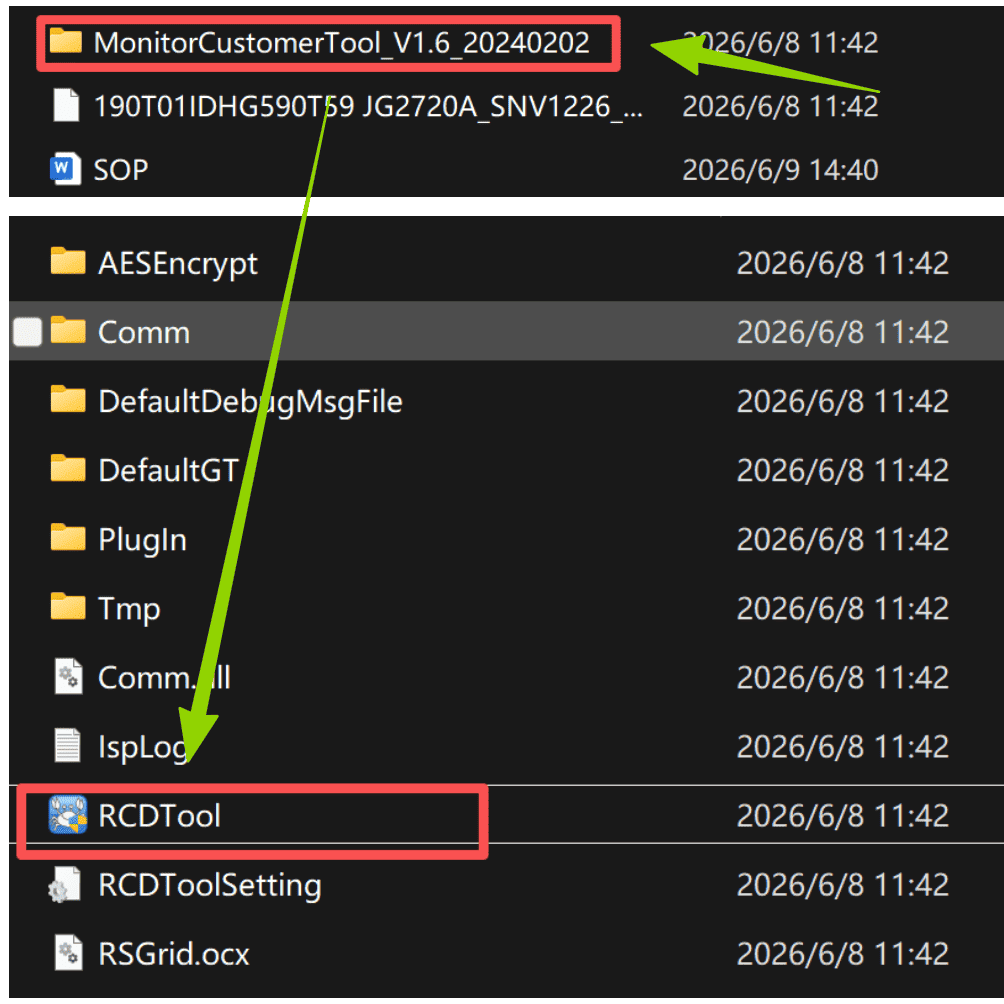
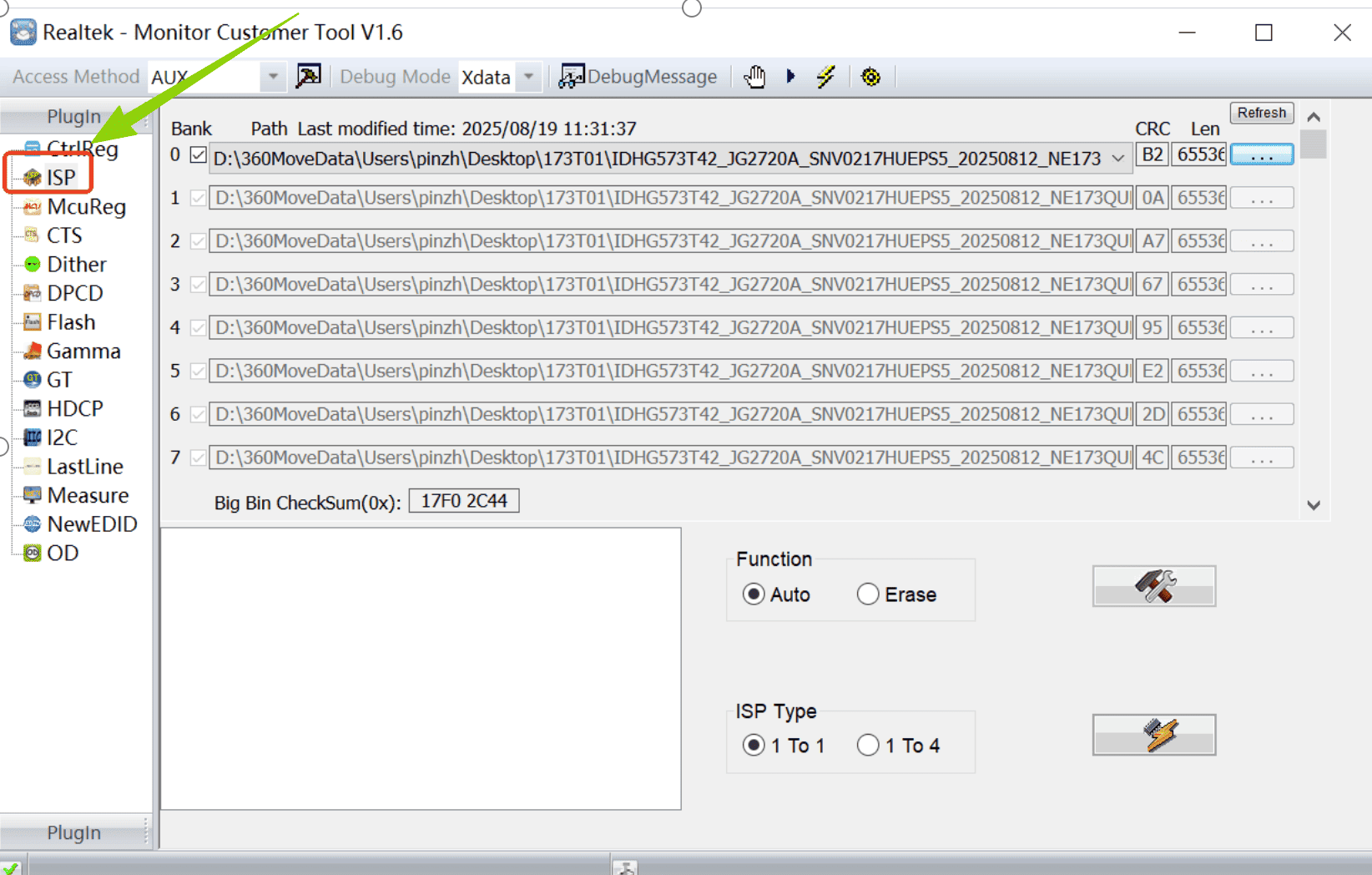
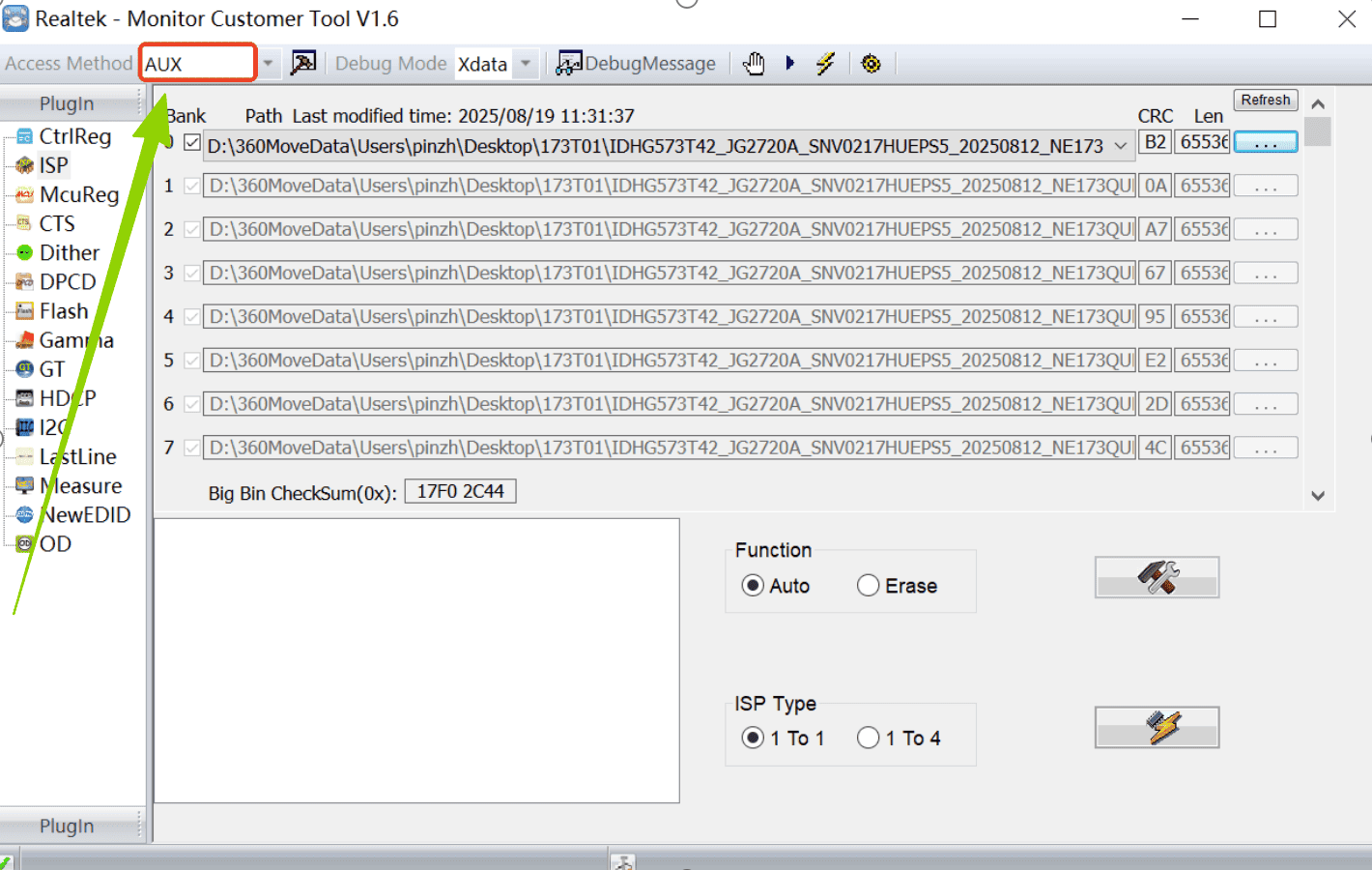
- 2. Select AUX here.
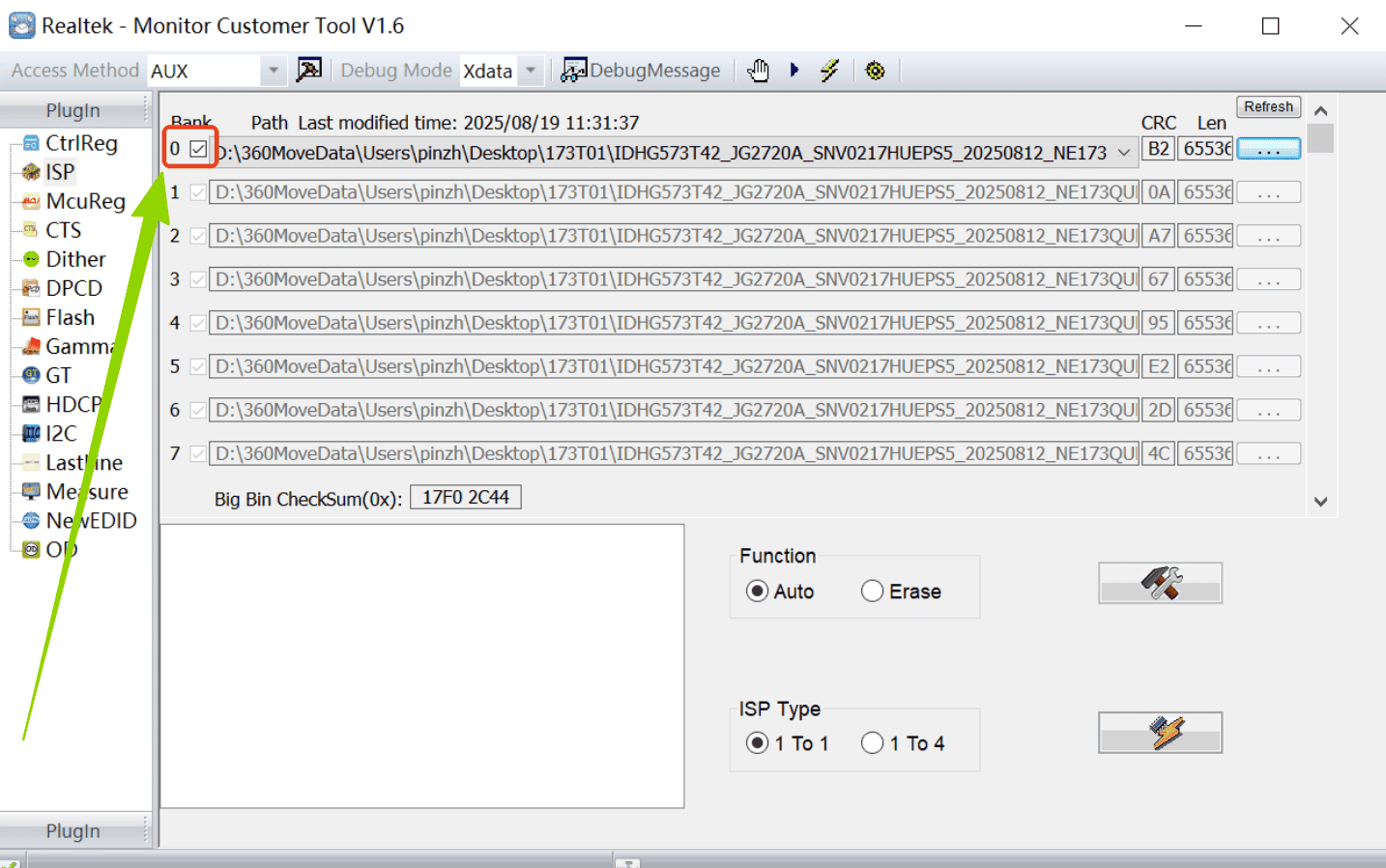
- 3. Select 0 and check the box as shown in the image.
- 4. Load the firmware:
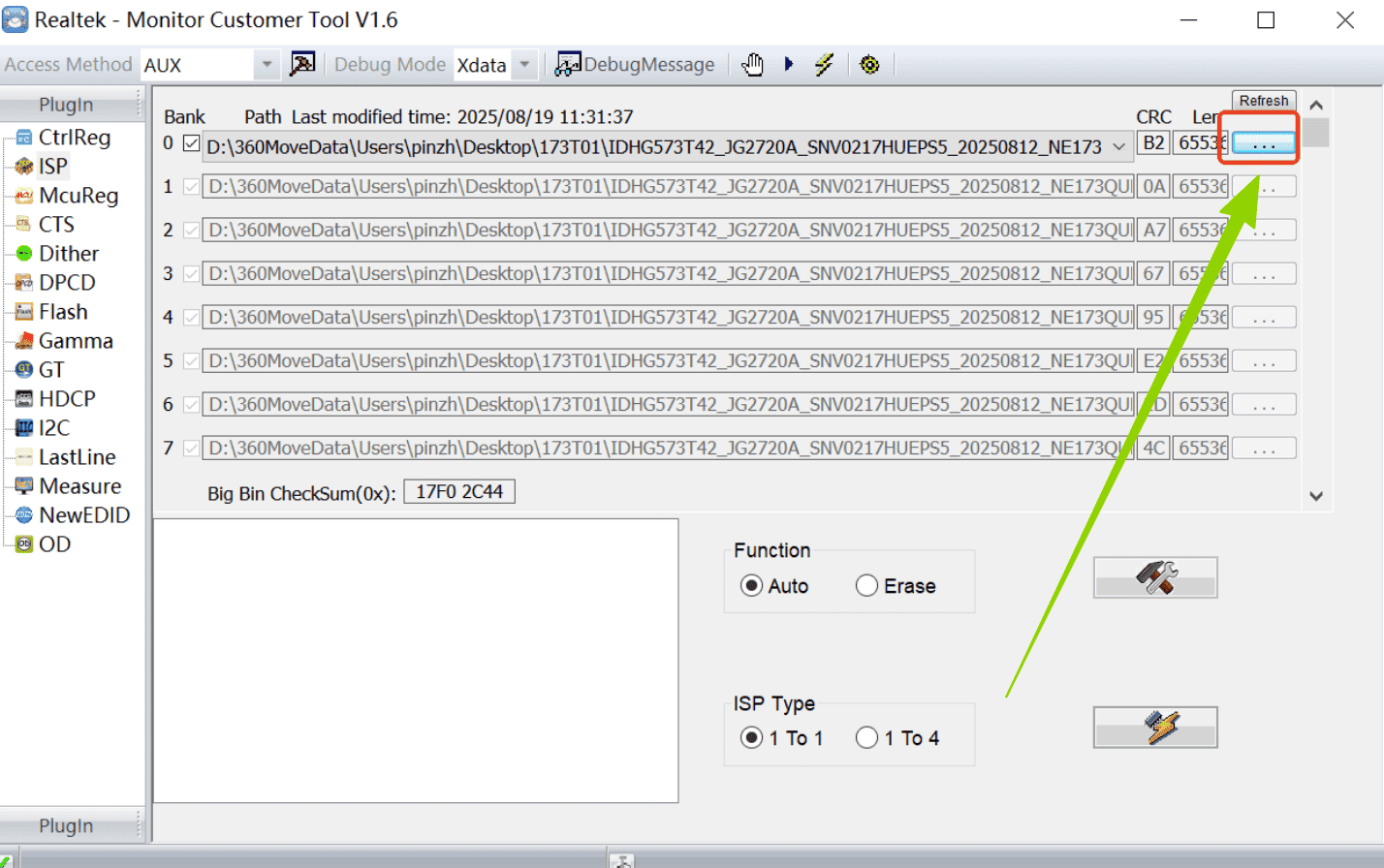
The firmware is the file in the attachment named:
190T01IDHG590T59 JG2720A_SNV1226_20260507_U190OMN571_3840X2160_144HZ English Headphone Jack Down Update Size 19 Default to 4K60Hz F006.bin
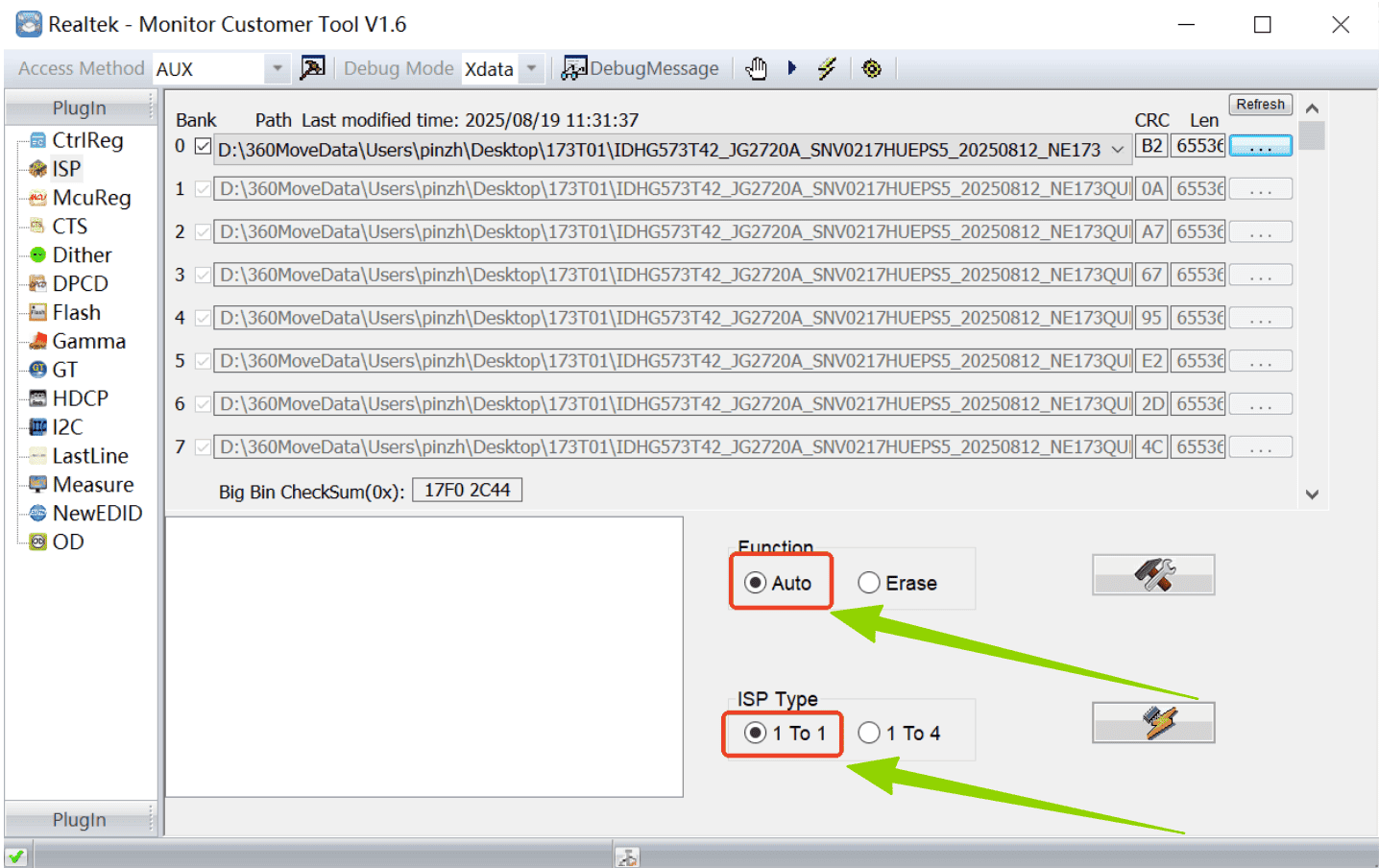
- 5. Check the two options shown in the image.
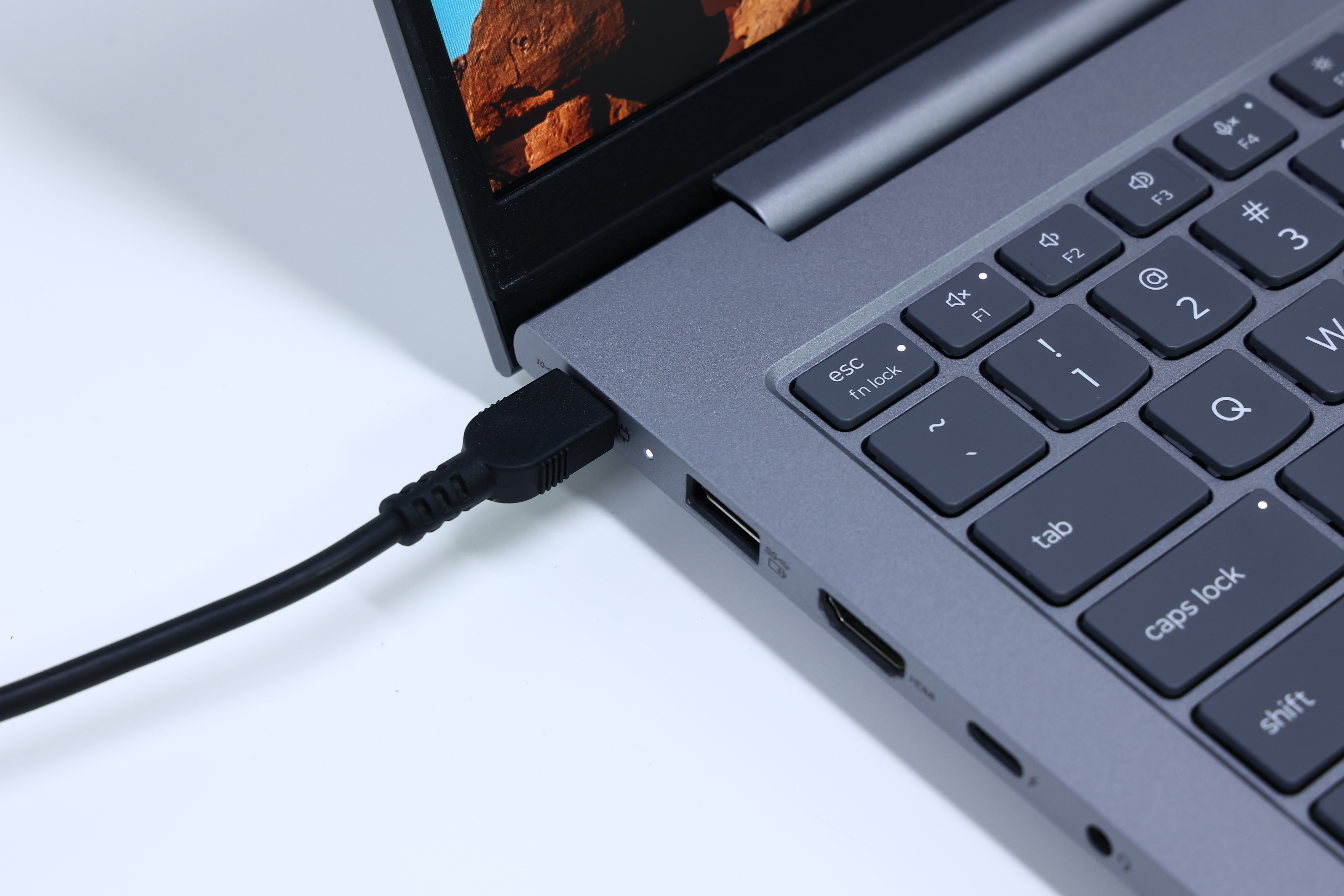
- 6. Connect the monitor to its standard external power supply, then use a Type-C cable to connect it to the computer.
Requirements:
- The computer must be a Windows system
- The Type-C port must be a full-function Type-C port
- The Type-C cable must support full-function (with DP signal)
- ⚠️ Important: Do NOT disconnect the power during the upgrade process.
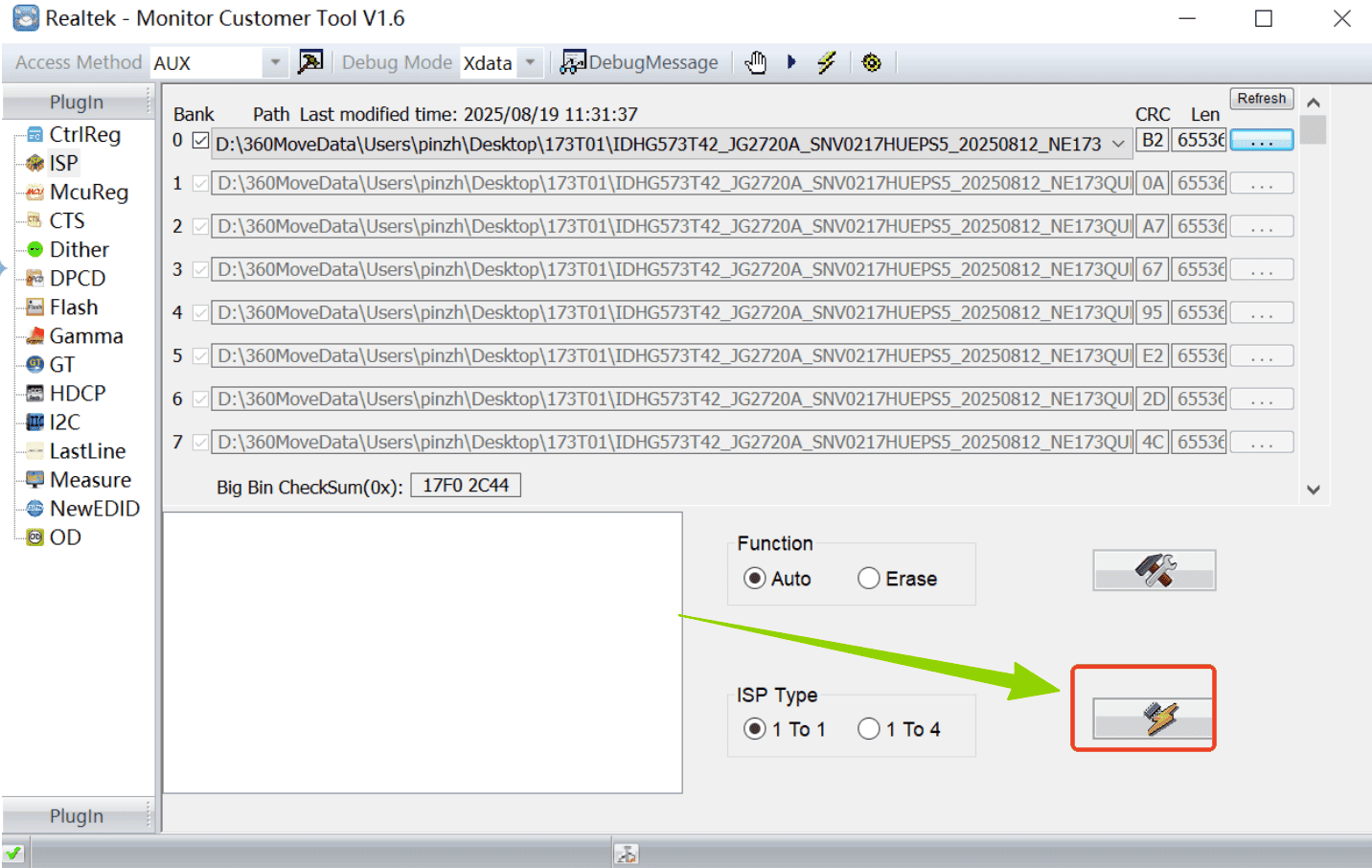
- 7. Click the lightning icon to start the upgrade.
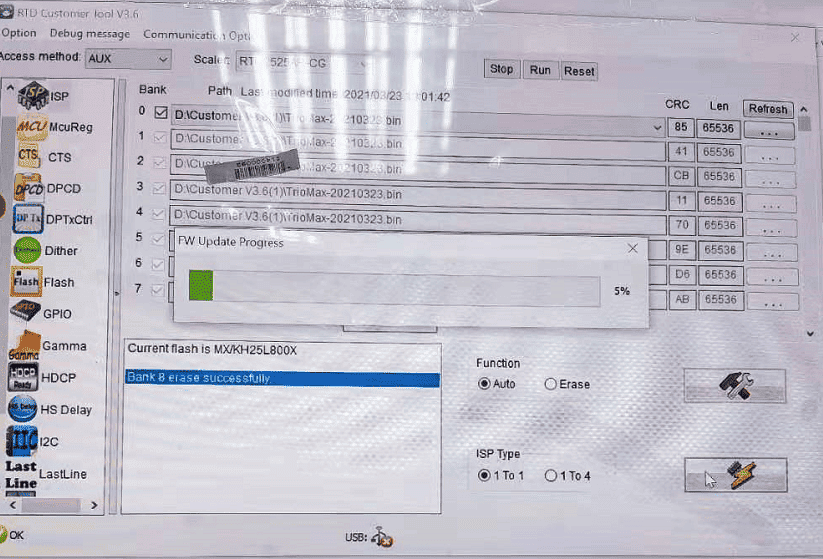
- 8. The upgrade process is as follows:
If you upgrade the firmware of your portable monitor, you’ll get an additional connection option, meaning your Switch 2 can connect not only via HDMI but also via USB-C. For more complete connection steps, please click to watch this video!